3D Creations in Babylon JS
I like to make 3D models in programs such as Blender and Anim8or. Recently, I wanted to learn 3D web rendering, so I built two small projects using Babylon.js. Both are set in the Battlestar Galactica universe because I’m a nerd and that’s what I was watching at the time.
- 12 colonies of Kobol - a few planets slowly orbiting the fictional star system
- 3D cylon raider - loads an actual 3D model of a Cylon Raider spacecraft
Lights, camera, action
Babylon.js has four things you always need before anything appears on screen: an engine, a scene, a camera, and a light. You define them in that order, then start a render loop.
// 1. Create the engine
var engine = new BABYLON.Engine(canvas, true);

// 2. Create a scene
var scene = new BABYLON.Scene(engine);
scene.clearColor = new BABYLON.Color4(0, 0, 0, 1);

// 3. Add a camera
var camera = new BABYLON.ArcRotateCamera("Camera", 0, 1.2, 50, BABYLON.Vector3.Zero(), scene);
camera.attachControl(canvas, true);

// 4. Let there be light
var light = new BABYLON.PointLight("Omni", new BABYLON.Vector3(20, 20, 100), scene);

// 5. Start the render loop
engine.runRenderLoop(function () {
    scene.render();
});
Main camera
For both projects I used ArcRotateCamera, which orbits around a fixed center point. It was one line of code and it’s a complete interactive camera out of the box. This incldues features like mouse rotation and scroll-to-zoom.
Skyboxes
Skyboxes are so cool! A skybox is basically just a texture of six images cube-mapped to create the illusion of a distant 3D environment. Babylon handles this format automatically, you give it a base filename, and it loads the six faces itself. I used this feature to make my “universe” for both projects.
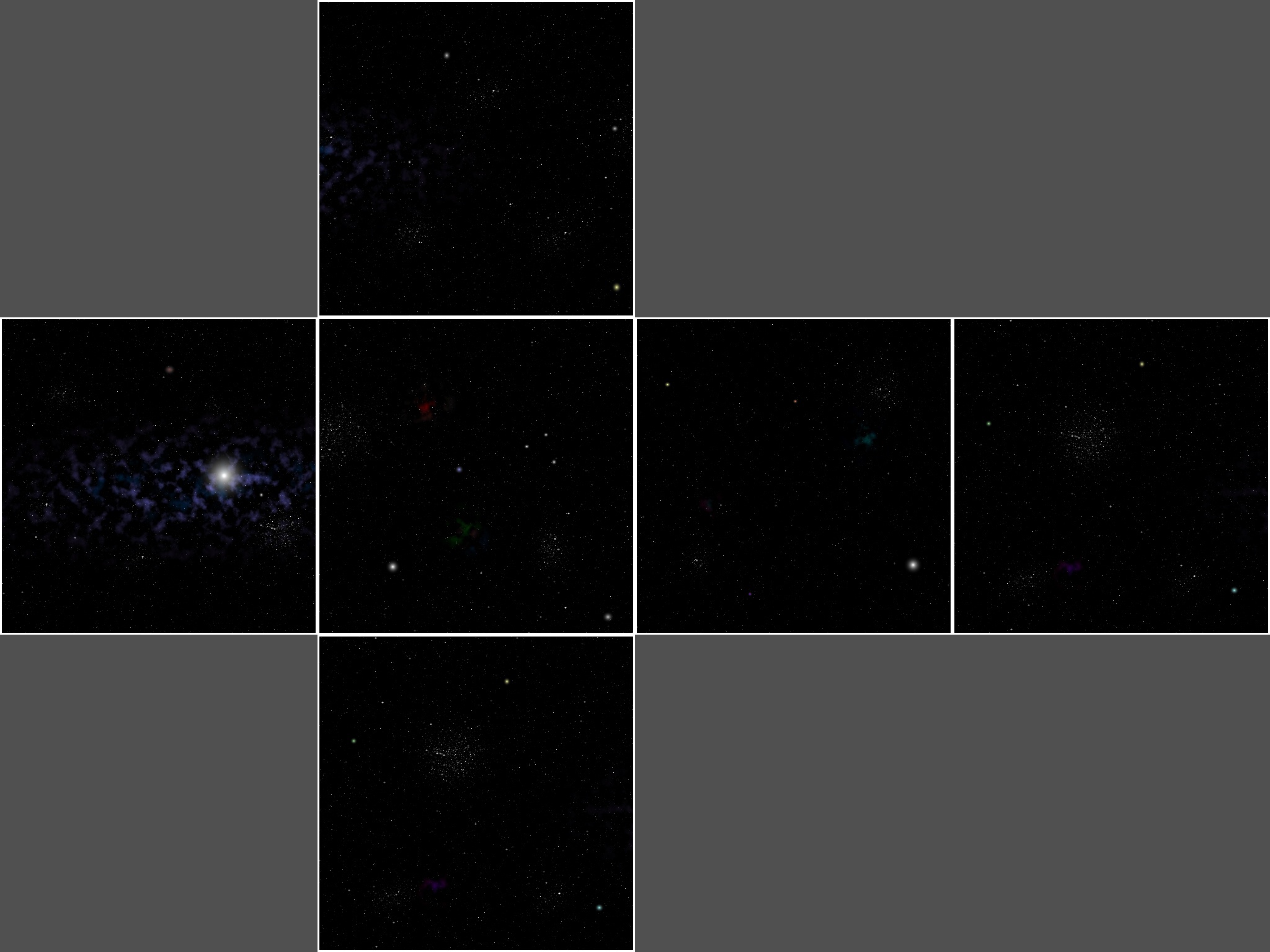
createSkybox : function(scene) {
    var skybox = BABYLON.Mesh.CreateBox("skyBox", 1000.0, scene);
    var skyboxMaterial = new BABYLON.StandardMaterial("nebula", scene);
    skyboxMaterial.backFaceCulling = false;
    skyboxMaterial.reflectionTexture = new BABYLON.CubeTexture("nebula/nebula", scene);
    skyboxMaterial.reflectionTexture.coordinatesMode = BABYLON.Texture.SKYBOX_MODE;
    skyboxMaterial.diffuseColor = new BABYLON.Color3(0, 0, 0);
    skyboxMaterial.specularColor = new BABYLON.Color3(0, 0, 0);
    skybox.material = skyboxMaterial;
},
Animations
Babylon does have a full keyframe animation system, but since I’m still learning, I just updated things manually every frame inside a registerBeforeRender callback. This is to create the continuous motion for the orbiting planets and rotating ships. For the planet orbits, I used basic trigonometry (sin/cos) to move each planet around a circle.
Loading external 3D models
One of the things I was most excited about was the fact that you can load existing 3D models in your scene. The Cylon Raider project uses a real .babylon model file that I exported from Blender using a plugin.
Small projects
3D rendering has a lot of moving parts (geometry, materials, lighting, cameras, animation, etcs). Building small projects helped me get started without getting ovewhelmed, so I definitely recommend it!